MICROSOFT PARTNER
Get an Office 2016 license key for classic Microsoft Office productivity on compatible devices. Choose from Home & Student, Home & Business, Standard, and Professional Plus editions with Retail, Binding, MAK, and LTSC license options. Ideal for users who need a familiar Office version for documents, spreadsheets, presentations, email, and professional daily work.
Office 2016 is a dependable Microsoft productivity suite for users who want a familiar Office experience with installed desktop applications and product key activation. It is a practical choice for customers using compatible systems, maintaining older workstations, or needing a specific Office version for personal, academic, or business use.
With Office 2016, you can handle everyday tasks such as writing documents, creating spreadsheets, building presentations, managing email, organizing notes, and completing office administration work. It remains a strong option for students, home users, small businesses, professionals, and companies that need stable Office tools without changing their existing workflow.
At our store, you can buy Office 2016 product keys for Home & Student, Home & Business, Standard, and Professional Plus editions. Each edition is designed for a different type of customer, so you can select the product that matches your applications, device setup, and activation needs.
Office 2016 Home & Student is made for users who need the essential Office applications for personal productivity, school assignments, and home projects. It gives you the core tools required to create documents, spreadsheets, and presentations.
Best for:
Students, home users, families, homework, personal documents, school reports, study files, simple budgets, and presentation projects.
Choose Office 2016 Home & Student if you need the main Office apps and do not require Outlook for email or calendar management.
Office 2016 Home & Business is designed for users who need classic Office applications plus Outlook. It is a better fit for customers who manage emails, appointments, contacts, and business communication from the same Office package.
Best for:
Freelancers, small business owners, consultants, self-employed users, home office workers, and professionals who need Outlook included.
Choose Office 2016 Home & Business if you want Office for personal and commercial tasks, especially when email communication is part of your daily work.
Office 2016 Standard is a business-focused edition for users who need a reliable Office suite for workplace productivity. It is suitable for companies and organizations that need familiar Office tools for documents, spreadsheets, presentations, notes, and communication.
Best for:
Office teams, business users, administrative staff, schools, organizations, departments, and workplace computers that need a stable productivity suite.
Choose Office 2016 Standard if you need a professional Office edition for company use with the main business productivity applications.
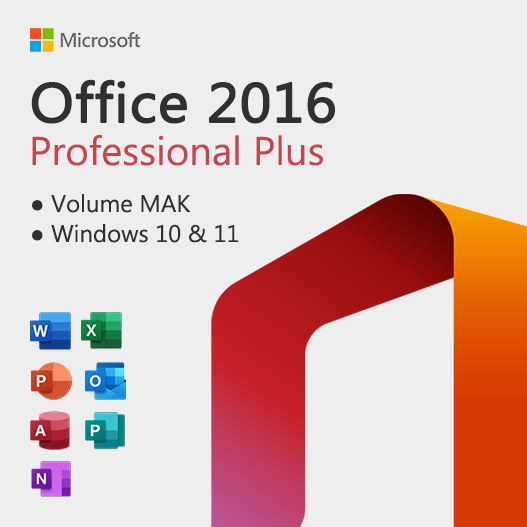
Office 2016 Professional Plus is the most complete Office 2016 edition in this category. It is built for advanced users, businesses, and IT-managed environments that need a wider range of Office applications for professional work.
Best for:
Businesses, power users, office managers, database users, IT departments, administrative teams, and professional environments that need a full Office 2016 package.
Choose Office 2016 Professional Plus if you need advanced Office tools such as Access and other professional applications, depending on the license package.
An Office 2016 Retail license is a practical option for customers who want a direct product key for installation and activation. It is suitable for home users, students, professionals, and small businesses that need a simple way to activate their selected Office 2016 edition.
Retail is a good choice when you want fast digital delivery, a clear product key, and a straightforward activation process.
An Office 2016 Binding license is designed for customers who want activation through the supported binding method, depending on the product setup. This option is useful when you want a convenient license process connected to the correct device or account activation flow.
Binding licenses are suitable for buyers who want a clean Office 2016 activation experience with simple purchase and setup steps.
A MAK license, or Multiple Activation Key, is commonly used for business and volume-style activation. It is useful for companies, IT technicians, and organizations that need to activate Office 2016 on multiple workstations.
Choose MAK if you are buying Office 2016 for office computers, company deployment, managed devices, or a business environment with several users.
Office 2016 LTSC is suitable for business environments that need a stable Office release with controlled deployment and predictable software behavior. It is a practical option for organizations that prefer consistency across workstations.
Choose LTSC if your company needs Office 2016 for professional use, long-term stability, and a fixed productivity setup across business devices.
Office 2016 is used for everyday productivity at home, school, and work. It helps users create documents, calculate and organize data, prepare presentations, manage communication, and complete professional tasks with familiar Microsoft Office applications.
Customers use Office 2016 for:
For many customers, Office 2016 is the right choice when they need a classic Office version that fits their current device, software requirements, or existing business setup.
Choosing the right Office 2016 edition depends on which applications you need and whether you are buying for personal, student, business, or professional use.
For home and study use, Home & Student is usually the right fit. For business email, Home & Business is the better choice. For office workstations, Standard offers a strong professional setup. For advanced users and organizations, Professional Plus gives the broadest Office 2016 experience.
Getting started with Office 2016 is simple when you choose the right edition and license type.
After activation, you can start using the Office apps included with your edition, such as Word, Excel, PowerPoint, Outlook, OneNote, Access, and Publisher, depending on the product you purchased.